

A solid Genie fault code list should help you get back to work fast, not push you toward random parts swapping. On many GS scissor lifts, the fault that looks serious is often low battery voltage, a coil circuit issue, a joystick input problem, or a broken control cable. What matters is telling real faults apart from status messages, and knowing which codes differ by control system. Below are the codes that halt work most often, the checks that save time, and the common mistakes that lead to unnecessary parts orders.
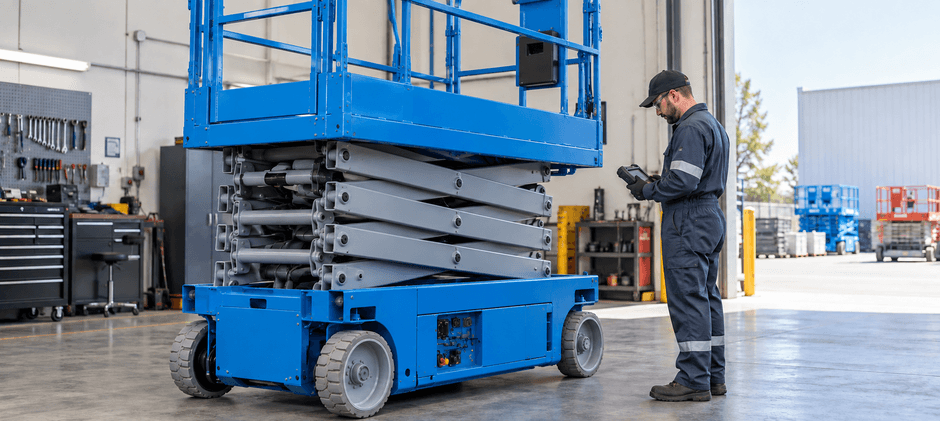
How Fault Codes Work on GS Scissor Lifts?
A Genie fault code list only works when you match the code to the right machine generation. GS scissor lifts do not all report faults in the same way. In the field, you will usually see one of these formats:
- Status messages such as LL or OL
- Older two-digit fault codes
- Newer grouped DTCs such as H, P, U, F, and C
This matters because a simple status message is not the same as a failed component. Many Genie scissor lift fault codes point to a circuit group first, not one exact part.
Status Messages Come First
Before diving into deep Genie lift troubleshooting, check whether the machine is showing a status condition instead of a hard fault.
Common examples include:
- LL: off-level
- OL: overload
- nd: no drive
- CH: chassis mode on some units
- br: brake release on some units
These messages often mean the machine is preventing operation for safety or system logic reasons. In many cases, a level surface, correct load, or proper reset gets you moving again without replacing anything.
Newer DTC Groups Tell You Where To Start
On newer GS machines, grouped codes narrow the search area quickly. This is where many Genie error codes become easier to read if you follow the system, not just the number.
| Code Group | Typical Meaning | First Area To Check |
|---|---|---|
| HXXX | Coil or hardware circuit fault | Valve coil, output wiring, driver circuit |
| PXXX | Power fault | Battery voltage, fuse, grounds |
| UXXX | Input or switch fault | Joystick, enable switch, input wiring |
| FXXX | Sensor fault | Tilt, pothole, height, overload sensors |
| CXXX | Communication or controller fault | Harness, PCON, GCON, CAN wiring |
In real shop work, these grouped Genie lift error codes often lead back to damaged wiring, loose terminals, or corroded plugs. That is why a fresh cable, connector, or solenoid valve coil can solve the problem faster than jumping straight to the controller.
Common Codes That Stop Work
This section covers the Genie scissor lift codes that most often shut down lift or drive functions. Meanings can vary by model and serial range, so confirm fit and application before ordering higher-cost components.
| Fault Code | Meaning On Applicable GS Lifts | Likely Cause | Machine Response |
|---|---|---|---|
| 02 | ECM or platform communication error | Harness damage, bad connector, control issue | No normal operation |
| 14 | Tilt or off-level related fault | Slope, tilt sensor fault, wiring issue | Lift disabled |
| 47 | Platform joystick fault | Joystick drift, sticking, connector fault | No normal startup |
| 54 | Up coil fault | Failed coil or disconnected wire | No lift |
| 55 | Down coil fault | Failed coil or disconnected wire | Lowering or lift issue |
| 59 | Parallel or series coil fault | Coil circuit fault or setup issue | Limited function |
| 68 | Low battery voltage | Discharged batteries or power issue | Limited or no operation |
| C021 | PCON not detected | CAN fault, broken control cable, controller disconnected | All functions inhibited |
One detail causes a lot of confusion in online discussions of Genie scissor lift error codes. On GS scissor lifts, 68 points to low battery voltage, not platform overload. Overload is typically shown separately as OL, so battery and charging checks should come before anything else when code 68 appears.
Practical Checks for the Most Common Codes
Code 68: Low Battery Voltage
Among all items in a Genie fault code list, this is one of the most common and one of the most misread. Weak battery voltage can also trigger poor drive power, dead controls, contactor chatter, and false follow-up faults.
Start here:
- Measure battery voltage at rest
- Measure voltage again while commanding a function
- Inspect terminals for heat, looseness, or corrosion
- Check the main fuse and ground path
- Test charger output after a full charge cycle
If the lift works briefly after charging and then drops back into code 68, focus on battery condition and cable resistance first. A worn battery cable set, weak battery charger, or damaged battery disconnect switch is often the real cause.
Code 02: Communication Fault
In many cases, code 02 looks worse than it is. What appears to be a failed module is often a wiring fault that shows up only when the stack moves.
Inspect these points:
- Coil cord condition
- Scissor stack harness routing
- Plug pin tension
- Moisture inside connectors
- Wire continuity during lift movement
For faster Genie lift troubleshooting, watch whether the code changes while the platform is raised or lowered. If it does, the moving harness becomes the first suspect. A new coil cord kit, platform control cable, or clean wiring connector often fixes the issue.
Code 47: Joystick Fault
This code usually appears when the machine sees a joystick that is not returning to neutral at startup.
Check the following:
- The joystick is not blocked or bent
- The handle returns smoothly to center
- Plug pins are clean and straight
- The control head is dry inside
- The signal is stable if you can test it
Many Genie scissor lift fault codes tied to controls come from moisture, damaged return springs, or connector problems rather than total control box failure. If the circuit tests good but the fault stays active, a joystick controller or platform control box may be the next step.
Codes 54 and 55: Lift Coil Faults
When the platform will not raise or lower, these two Genie code faults should move near the top of the list.
Check in this order:
- Coil resistance
- Continuity from control to valve block
- Supply voltage when the function is commanded
- Harness wear near the hydraulic assembly
A failed hydraulic valve coil or solenoid coil can stop movement completely, but damaged wiring near the valve block is also common. On machines used hard in rough sites, dirt, oil, and vibration often shorten the life of both the coil and the connector.
C021: PCON Not Detected
This code belongs to a newer control layout and should not be mixed into older two-digit lists. If you are searching Genie code co21, C021 code Genie, c021genie code, or co21 genie code, the core issue is the same: the machine is not seeing proper communication with the PCON.
Typical causes include:
- CAN communication failure
- CAN harness damage
- PCON disconnected
- GCON or PCON fault
- Terminal fit issues at the controller plug
With Genie lift error codes like C021, wiring should be checked before replacing a module. A damaged CAN harness, loose controller plug, or worn platform control cable is often easier and cheaper to fix than a controller.
A Faster Troubleshooting Flow
A long Genie fault code list does not save time unless you follow a good order. Start with the checks that rule out the most common shutdown causes.
Check Machine Condition
Before using meters or pulling covers, verify these basics:
- The lift is on level ground
- The platform is not overloaded
- Emergency stop buttons are reset
- Brake release is not active
- Pothole protection is working
This step clears many false alarms tied to Genie scissor lift codes, especially when the display is showing a status condition instead of a component failure.
Check Battery and Power Path
Electrical supply problems can create symptoms across several systems.
Inspect:
- Battery state of charge
- Charger operation
- Main fuse
- Ground points
- High-current cable ends
- Crimp condition
This is also the right time to inspect a battery indicator, main fuse, or charger harness if heat or corrosion is visible. On a 4047 scissor lift or other larger slab machine, current demand is higher, so small power losses can become major function problems.
Inspect Every Moving Wire Path
Moving harnesses fail more often than many people expect. This applies to both Genie scissor lift fault codes and some cases of Genie boom lift troubleshooting as well.
Pay close attention to:
- Scissor stack flex points
- Coil cords
- Harness clamps
- Pinched wire sections near pivots
- Green or wet connectors
A replacement wire harness, control cable, or connector set often brings more value than replacing a controller too early.
Match the Code to the Circuit
Once basic checks are done, test by system group:
- Power fault: voltage and voltage drop
- Coil fault: coil resistance and command voltage
- Input fault: switch or joystick signal
- Sensor fault: supply voltage, signal, alignment
- Communication fault: controller link and harness continuity
This keeps Genie lift troubleshooting focused and cuts downtime.
Patterns You May See by Machine Size
Some problems show up more often on certain GS models, even when the same Genie fault code list applies across several lifts.
Small Slab Scissors
Machines such as GS-1932 and GS-2032 often show:
- Low battery voltage
- Charger-related faults
- Joystick issues
- Control head problems
If the display resets, drive power feels weak, or functions fade after charging, start with batteries and cables before moving deeper into the circuit.
Mid-Size and Large Slab Models
Machines such as GS-2632, GS-3246, and 4047 scissor lift platforms more often show:
- Lift coil faults
- Contactor issues
- High-current cable problems
- Height or interlock faults
These machines put more load on both electrical and hydraulic systems. Once testing confirms the fault, a quality contactor, power cable, or lift coil can be the right repair.
Newer Controller-Based Units
Newer GS lifts are more likely to produce grouped DTCs and communication faults. That is why newer Genie lift error codes should be read by code family first, then by component path. A communication code such as Genie code co21 needs a different approach than a simple two-digit coil fault.
Final Words
A useful Genie fault code list should lead you to the right circuit before you spend money on parts. On GS scissor lifts, battery condition, moving harnesses, connectors, and lift coils deserve attention early because they cause many of the faults that stop work. When replacement parts are needed, we recommend FridayParts for aftermarket parts, affordable prices, broad inventory, and wide compatibility across many heavy equipment brands.
